
Find the keepers.
Keep the privacy.
A fast, private photo culling workstation and 360° virtual tour creator for macOS. Instant folder browsing, on-device AI selection, interactive tour graphs, and zero cloud subscriptions.
Universal 2 • Apple silicon & Intel • macOS 14 Sonoma or newer • 36 Languages
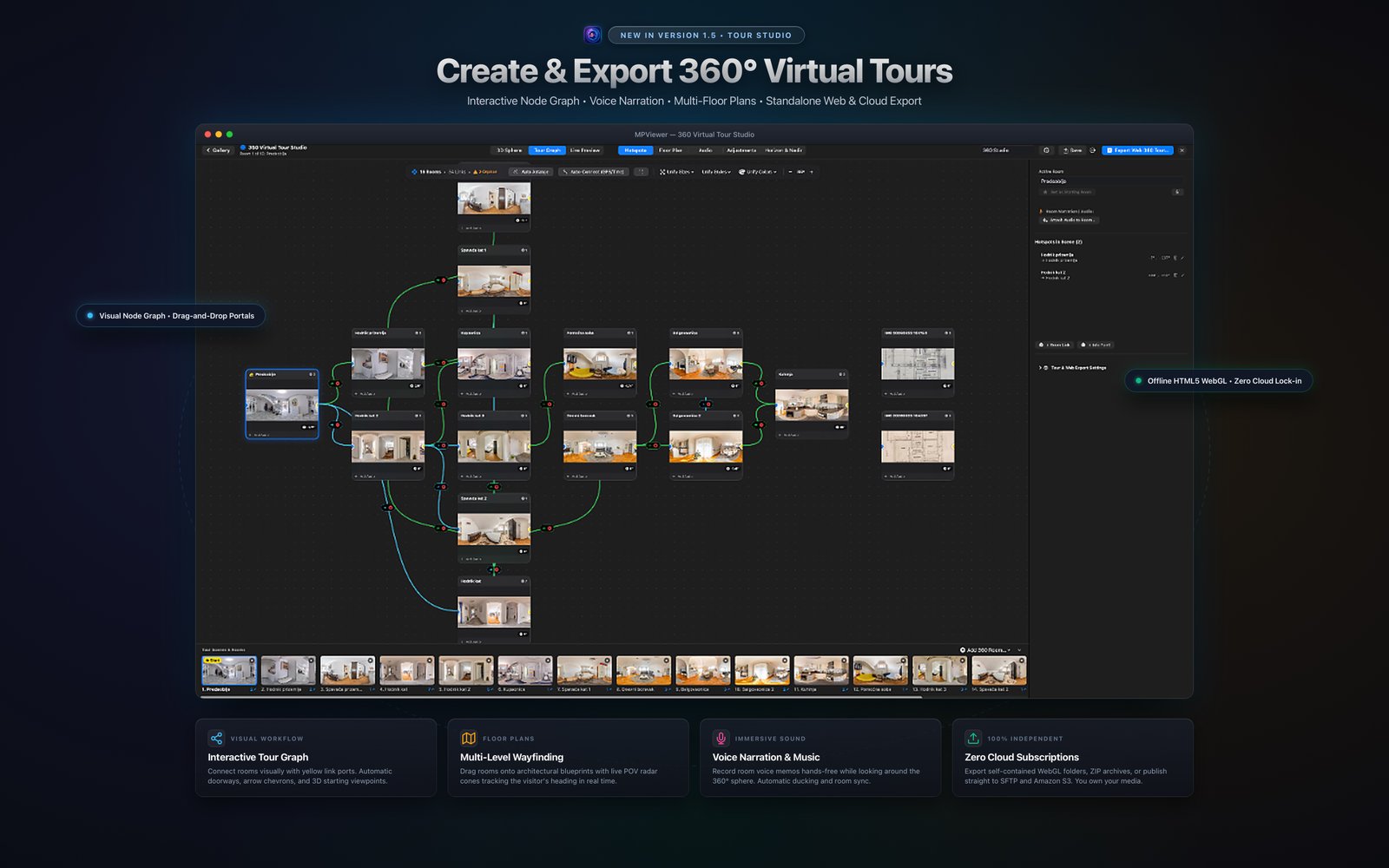
A complete virtual tour studio.
Right inside your photo browser.
You no longer need multiple subscription apps just to turn 360° panoramas into walkthroughs. MPViewer 1.5 builds, connects, annotates, and exports standalone WebGL tours directly on your Mac.
Interactive Tour Graph
Connect rooms visually with yellow link ports on an infinite canvas. Generates bidirectional doorway portals, animated arrow chevrons, and 3D starting viewpoints.
Multi-Level Blueprints
Import architectural floor plans for multi-story buildings. Drop room pins with live field-of-view radar cones that track the visitor’s exact viewing heading in real time.
Voice Memos & Audio
Record voice memos hands-free while looking around the 360° sphere. Automatic background soundtrack ducking and per-room spatial synchronization.
Zero Cloud Lock-in
Export self-contained HTML5/WebGL folders, ZIP archives, or publish straight to your own SFTP server or Amazon S3 bucket. You own 100% of your media.
Every feature photographed.
Inspect every pixel.
Explore the full suite of photographic tools built for professionals, real-estate shooters, and enthusiasts. Click any screenshot to open in high-resolution.

Find the Keepers. Keep the Privacy.
Fast RAW review and on-device selection with no catalog, ads, tracking, or account required.
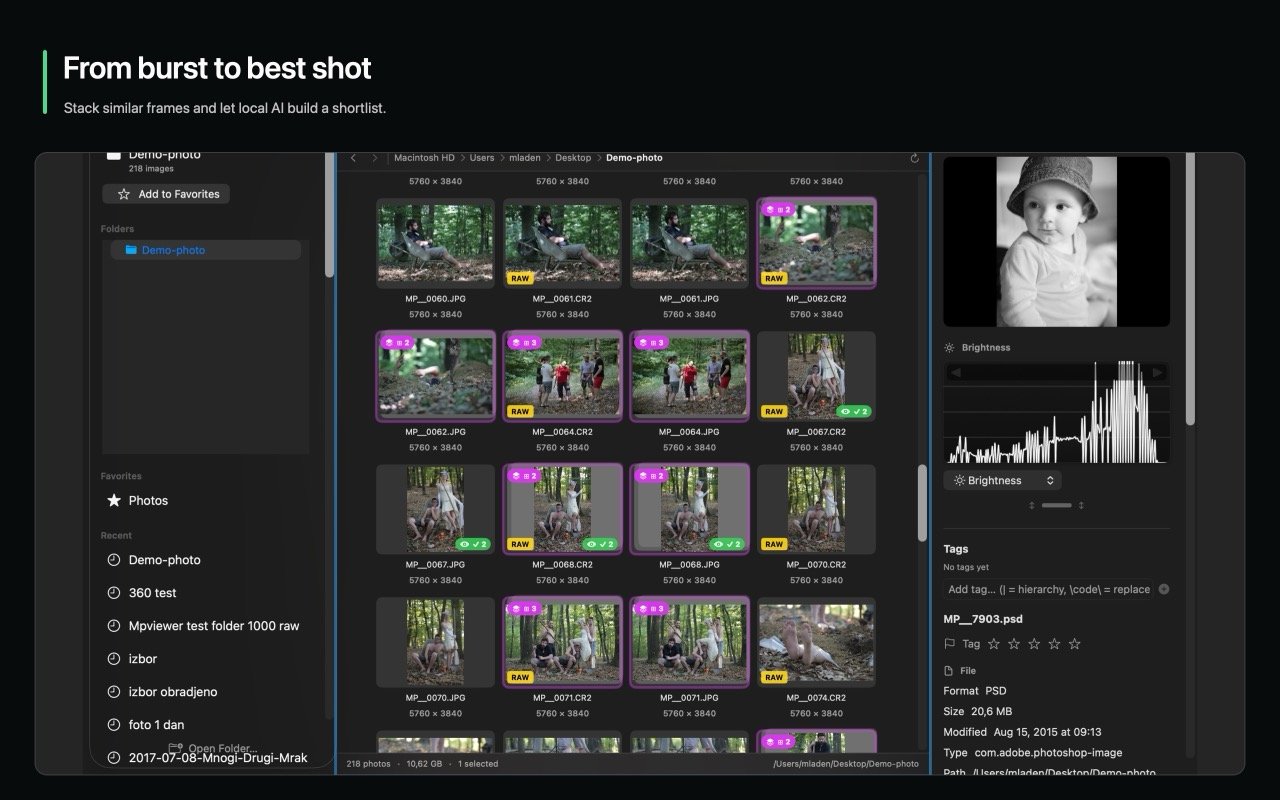
From Burst to Best Shot
Stack rapid sequences, scrub every frame effortlessly, and crown the winning photograph.
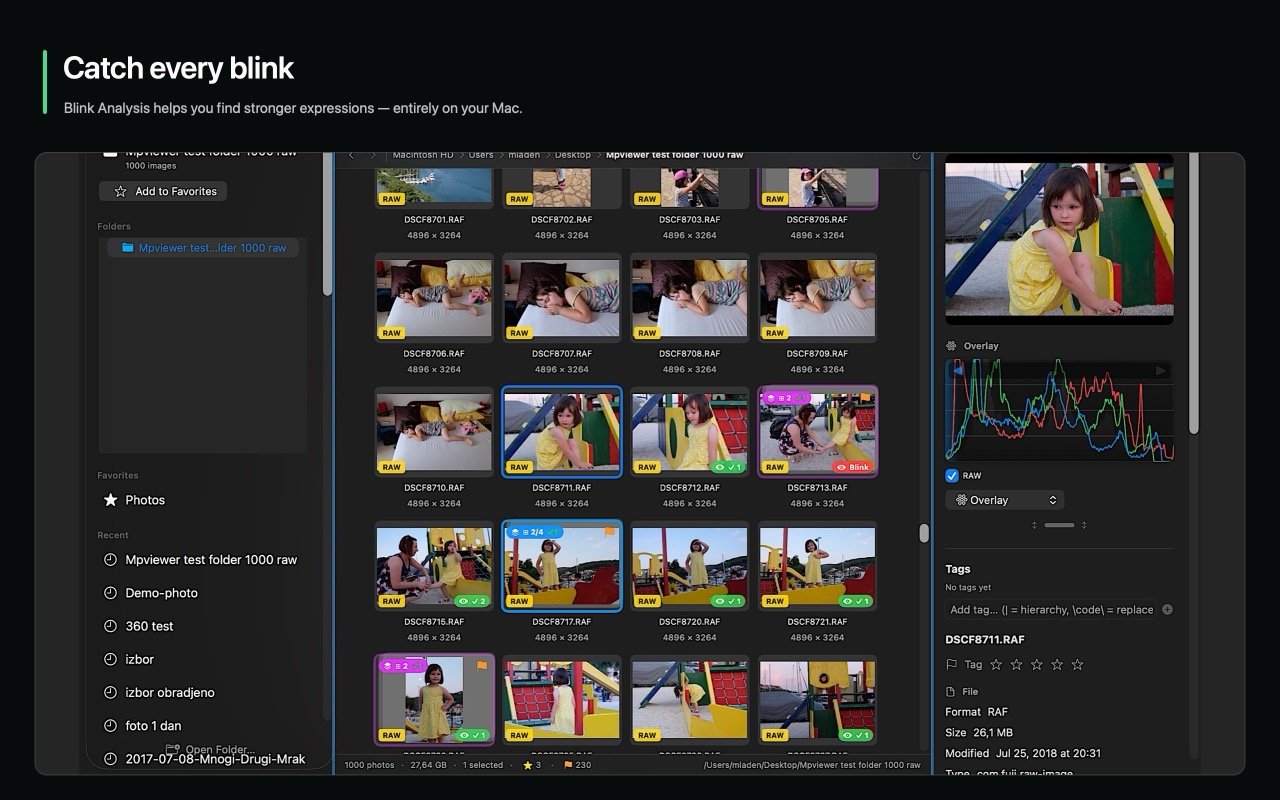
Catch Every Blink with On-Device AI
On-device facial analysis detects closed eyes and flags suboptimal expressions completely privately on your Mac.
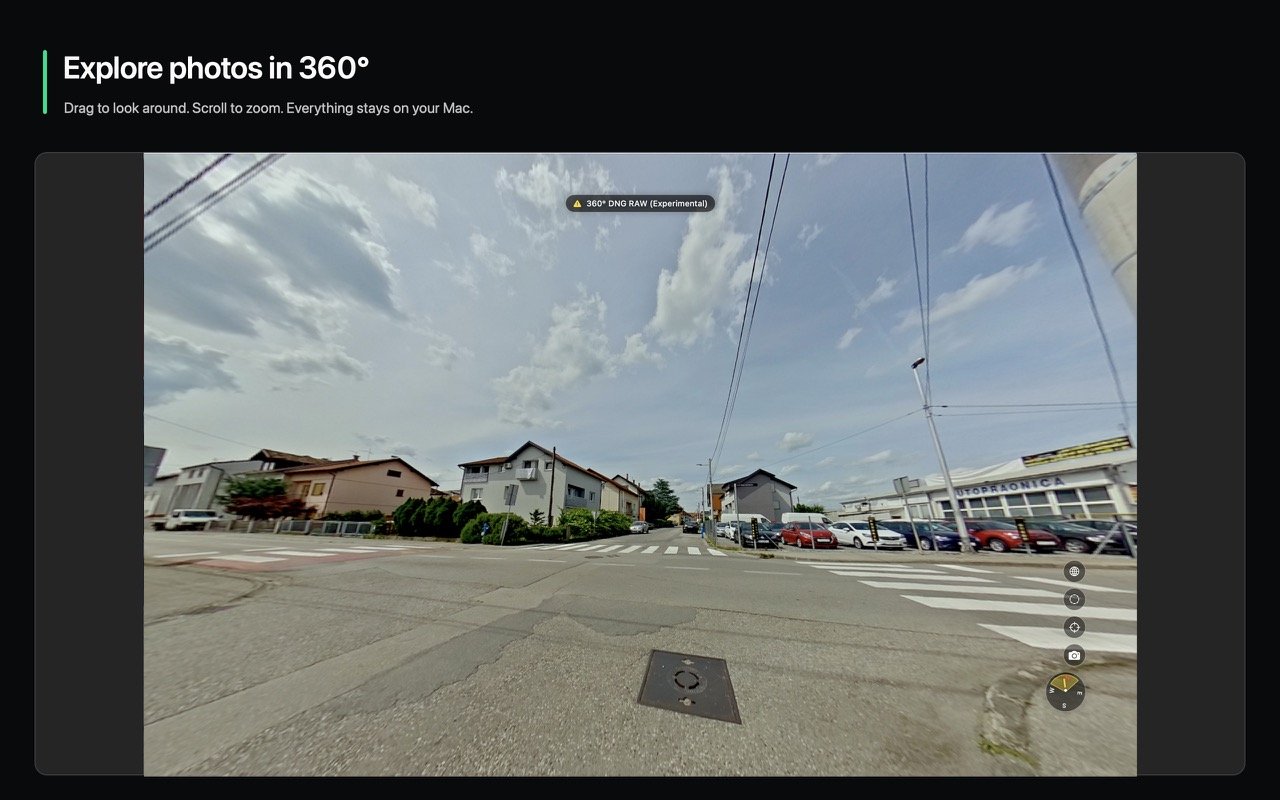
Explore Photos in True 360°
Drag to look around, scroll to zoom, adjust horizon leveling, and store initial view angles in XMP.
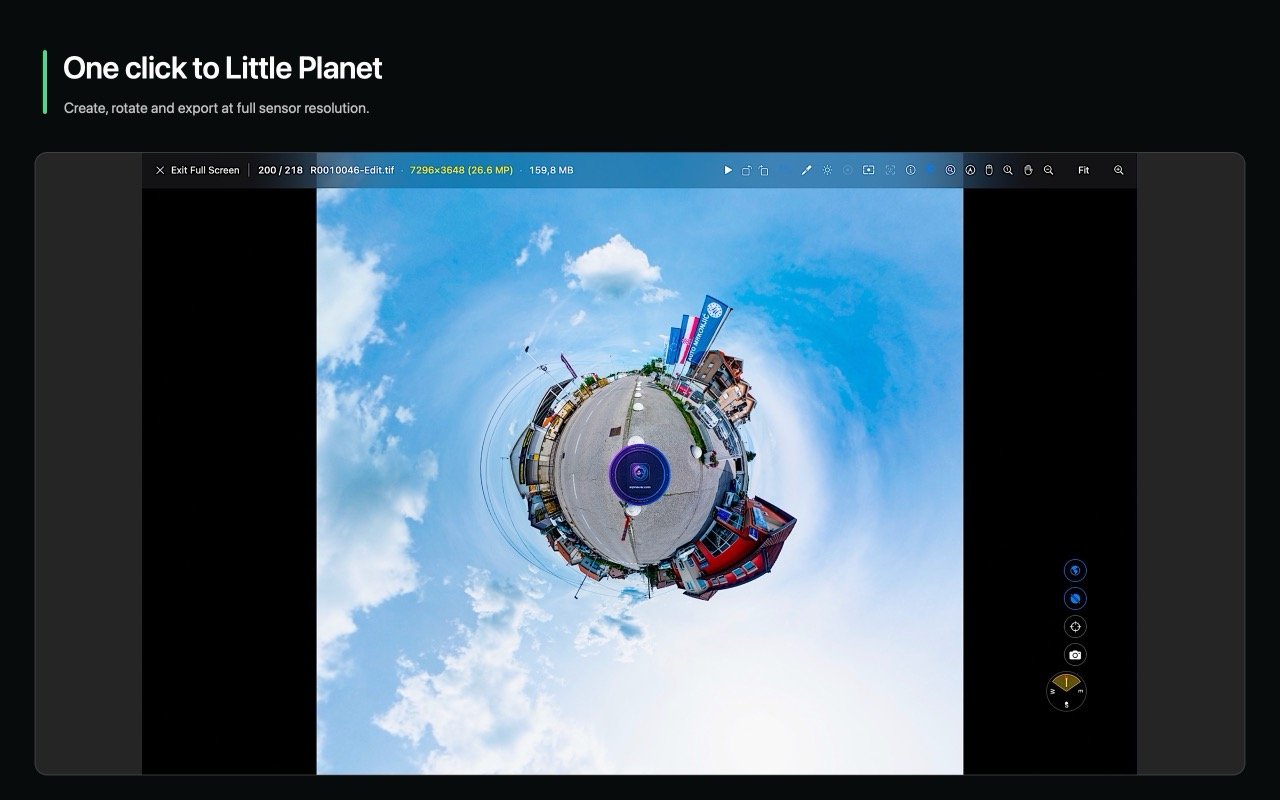
One Click to Little Planet
Render stunning stereographic projections with custom rotation angles and export at full camera sensor resolution.
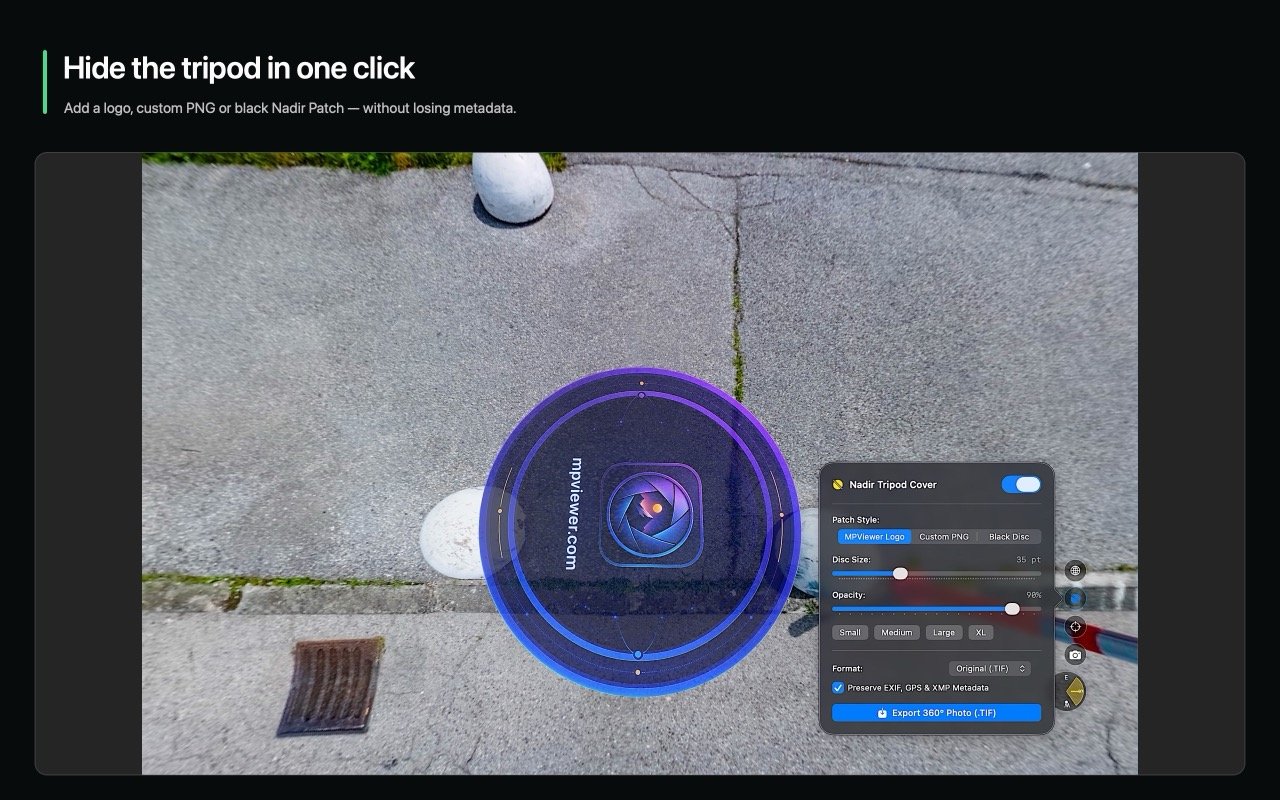
Hide the Tripod in One Click
Apply customized Nadir patches with adjustable size, opacity, and rotation to seamlessly cover equipment.
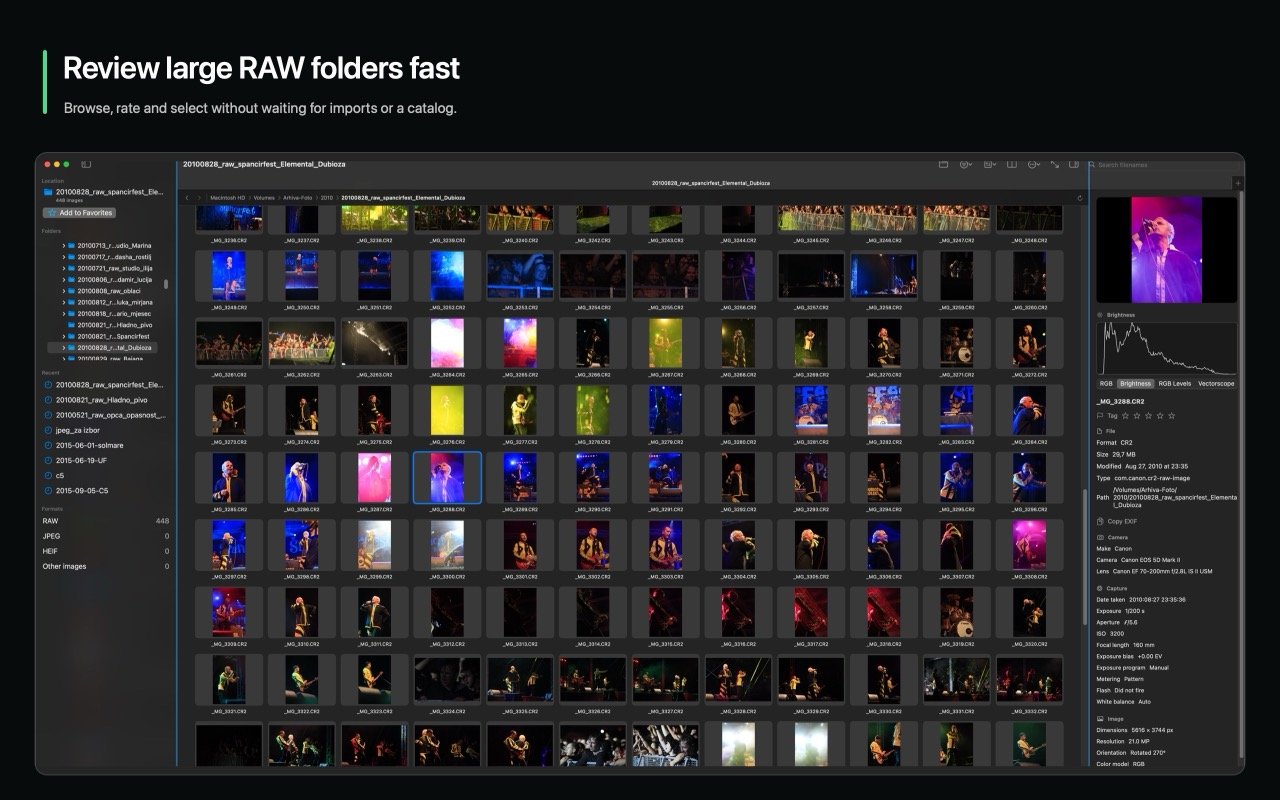
Review RAW Files Fast
Direct folder access with no catalog import delays. Supports Canon, Nikon, Sony, Fujifilm, DJI, and Apple RAW.
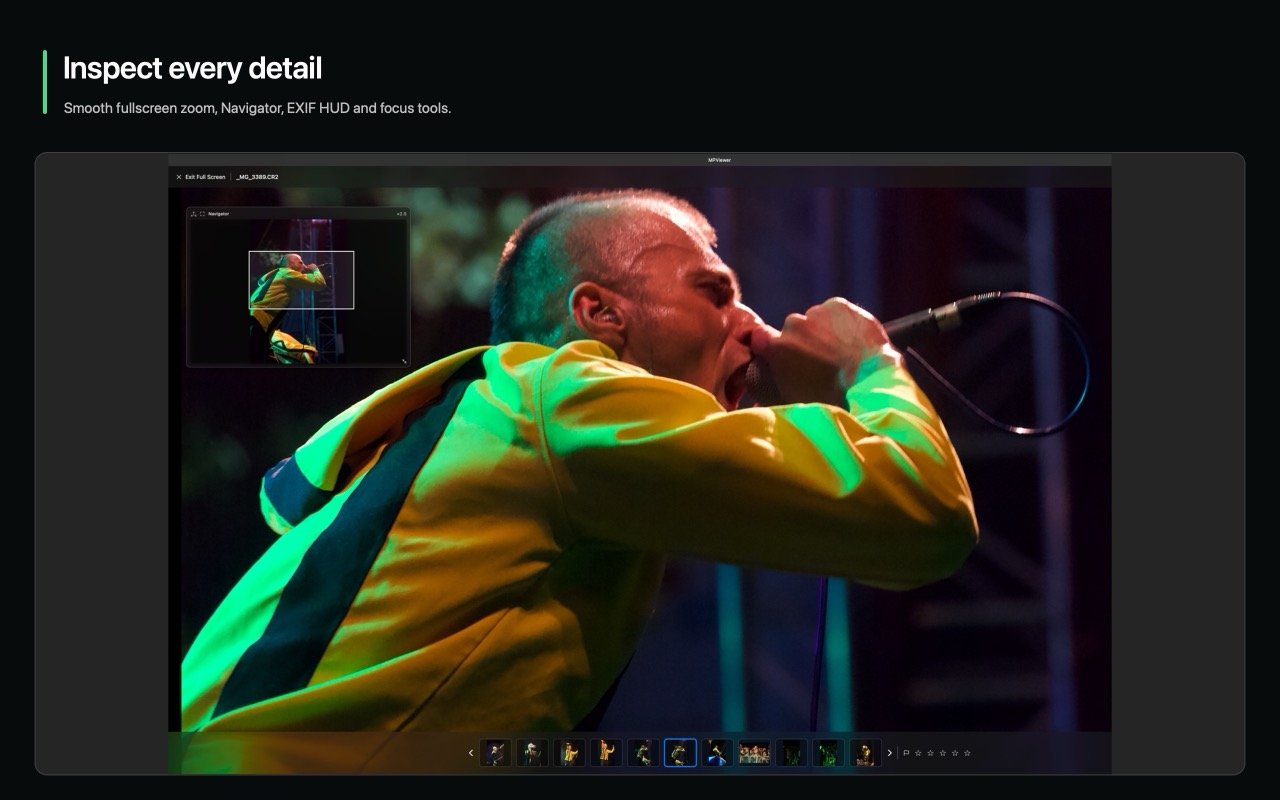
Inspect Every Detail with the 250% Loupe
Focus peaking, RGB levels parade, clipping warnings, and customizable minimap navigators for pixel-level certainty.
Active Storage Profiling.
Built for slow cards and heavy NAS.
MPViewer 1.5 actively benchmarks media transfer speeds to tune its memory caching pipeline in real time. Never let slow storage lock up your macOS UI.
Real-Time Speed Badges & Adaptive Prefetching
When browsing from slow field card-readers or remote 1GbE SMB network shares, MPViewer measures actual read latency and switches from aggressive pre-caching to low-overhead on-demand decoding. Keep 2,500+ RAW folders responsive without beachballs.
Next-Gen Codecs & OCR
Native support for AVIF, OpenEXR, JPEG XL, WebP, animated GIF creation from burst shots, and instant optical character recognition with Apple Live Text.
Ergonomic Culling
Use left-hand WASD or right-hand JKOP to fly through folders. Auto-advance, color labels, star ratings, and customizable keyboard shortcuts.
Your photographs stay yours.
MPViewer is engineered strictly as a client application for macOS. We do not operate user accounts, run cloud analytics, embed tracking SDKs, or send your photographs, thumbnails, or metadata to MPViewer servers. Files leave your Mac only when you explicitly use a feature such as publishing a tour to a server you configure.
 MPViewer 1.5 for macOS
Spend less time waiting.
Create more with your photos.
Native for Apple silicon and Intel Macs. Requires macOS 14 Sonoma or later.